
👝 Settlement to Approvely Wallet
Overview
Merchants now have the option to settle their funds directly into an Approvely wallet. This option is recommended for Merchants unfamiliar with crypto wallets and want to leverage pay-ins and payouts with Coinflow. By choosing this option, Approvely manages all fund transfers on your behalf, simplifying revenue collection and payouts.
Merchants can utilize an Approvely wallet to:
- Consolidate all revenue from customer purchases into one place.
- Use the wallet balance for user payouts.
- Easily withdraw funds from the Approvely wallet to your bank account at any time.
How to Configure Rapid Wallet Settlement
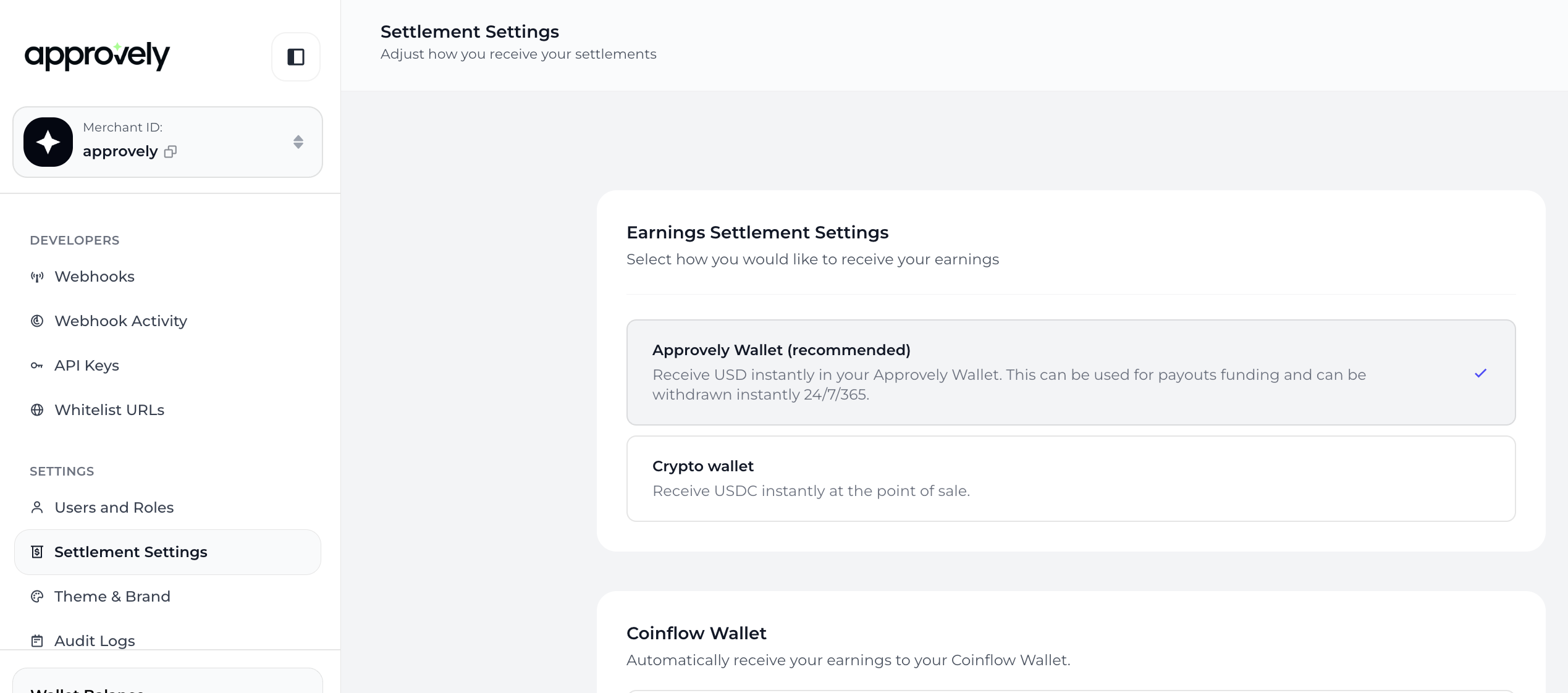
- Go to Settings > Earnings Settlement Settings. By default, Approvely Wallet will be selected for new Merchants.
- Under Approvely Wallet (recommended) > Select Initialize Wallet
-
Authorize Approvely to manage the transfer of funds.
-
Complete 2FA.
-
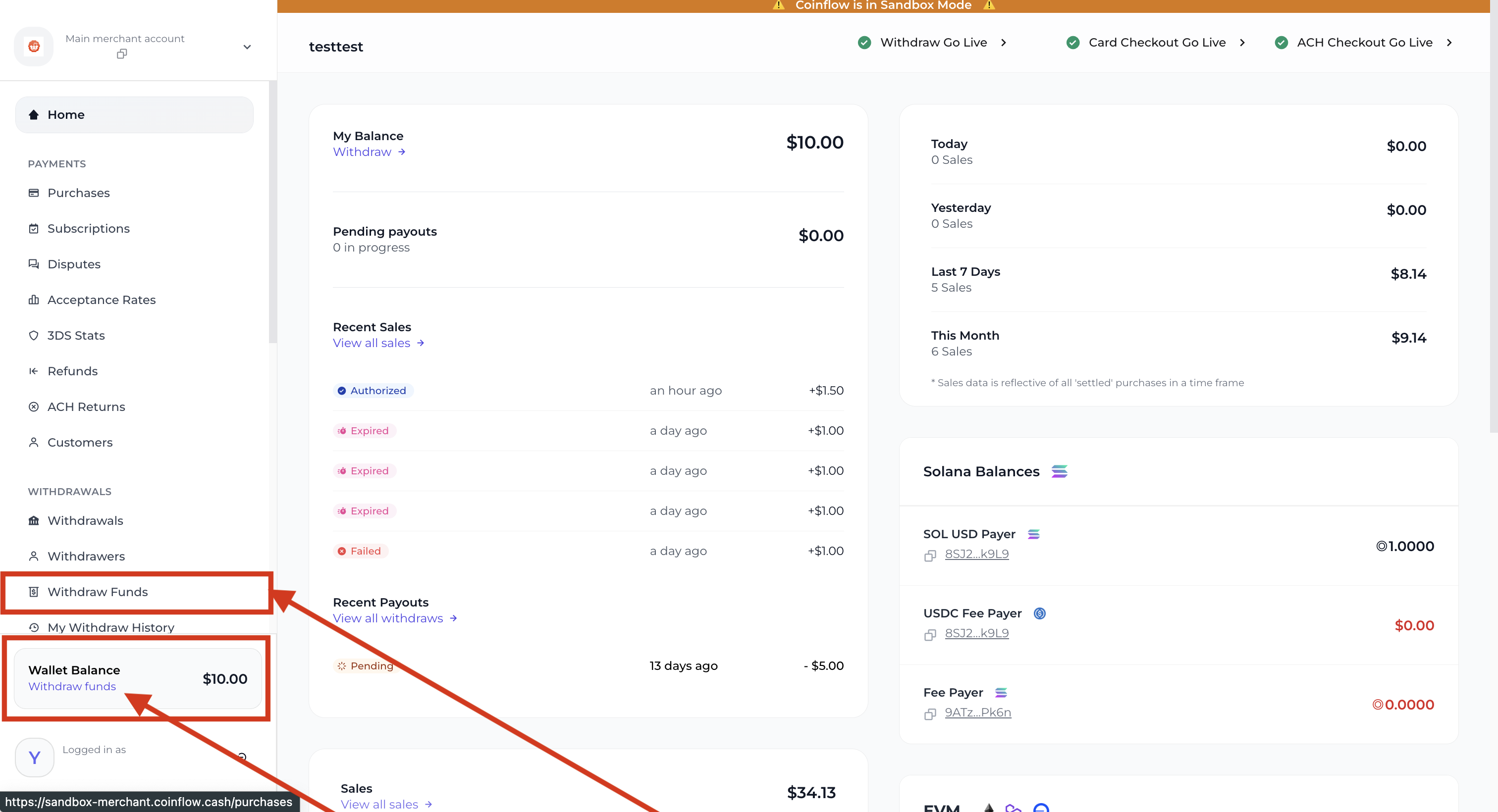
Withdraw Wallet Balance
Bank Settlement
Merchants can transfer funds from their Approvely in-app wallet to their business bank accounts either manually through the UI or by enabling automated bank settlements. Automated settlements are processed via ACH and typically arrive within 3 business days.
To set up automated bank settlements:
- Configure your Approvely wallet
- Navigate to the auto-bank settlement section in the dashboard
- Use the dropdown to add your bank account.
- Select
Use this bank for my purchase settlementto save your settings
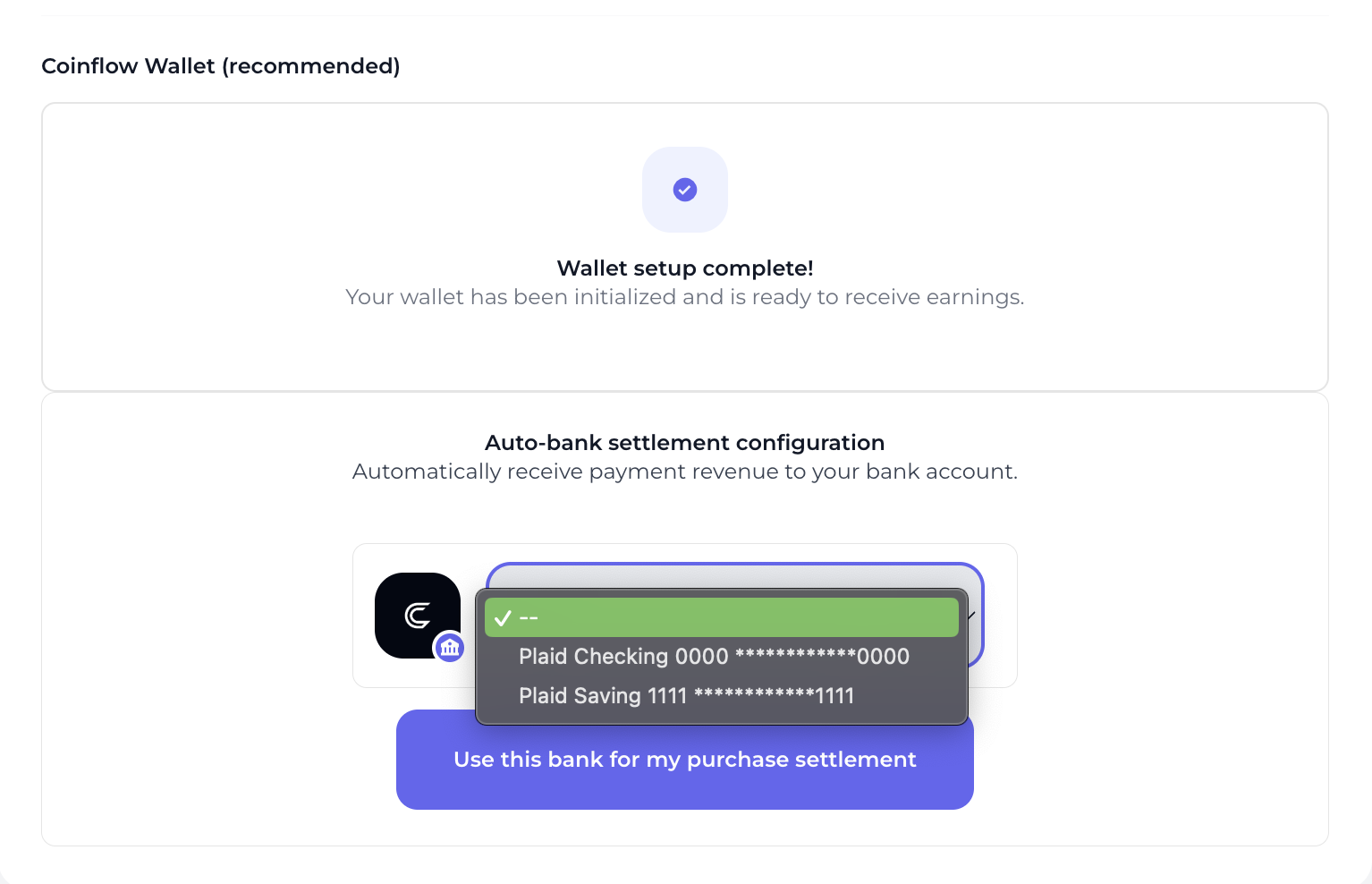
How to set up automated bank settlement.
Updated 12 months ago