
Payout Currency
Default Currency Settings
By default, a withdrawer's currency is determined by the country they select during verification. After verification, each withdrawer record will include two currency-related fields, which can be accessed through the Get Withdrawer endpoint:
originalCurrency: The default currency automatically assigned by Coinflow based on the country selected during verification.currency: The withdrawer's current currency setting. If the currency has never been changed, this will be the same asoriginalCurrency.
🌍 Default Currency Mapping
When a user completes verification, Rapid sets their originalCurrency based on their selected country:
| Country Selected During Verification | Default Currency (originalCurrency) |
|---|---|
| United States | USD |
| European Union | EUR |
| United Kingdom | GBP |
| Brazil | BRL |
🔄 Changing a Withdrawer’s Currency
To override a user's default currency, call the Change Withdrawer Currency endpoint. Currency changes must follow the rules below:
- USD – Only available to users who completed verification with a U.S. ID
- BRL – Only available to users with a Brazilian ID
- EUR – Available to all users, but payouts will only succeed if linked to a euro-denominated bank account
- GBP – Same as above, but must link a GBP-denominated bank account
✅ Allowed Currency Changes by Verification Type
| Verification Type | Can Set USD | Can Set BRL | Can Set EUR | Can Set GBP |
|---|---|---|---|---|
| U.S. ID | ✅ | ❌ | ✅ | ✅ |
| Brazilian ID | ❌ | ✅ | ✅ | ✅ |
| EU or UK ID | ❌ | ❌ | ✅ | ✅ |
| Other (non-US, non-BR) | ❌ | ❌ | ✅ | ✅ |
🖥 Changing Currency via Coinflow UI
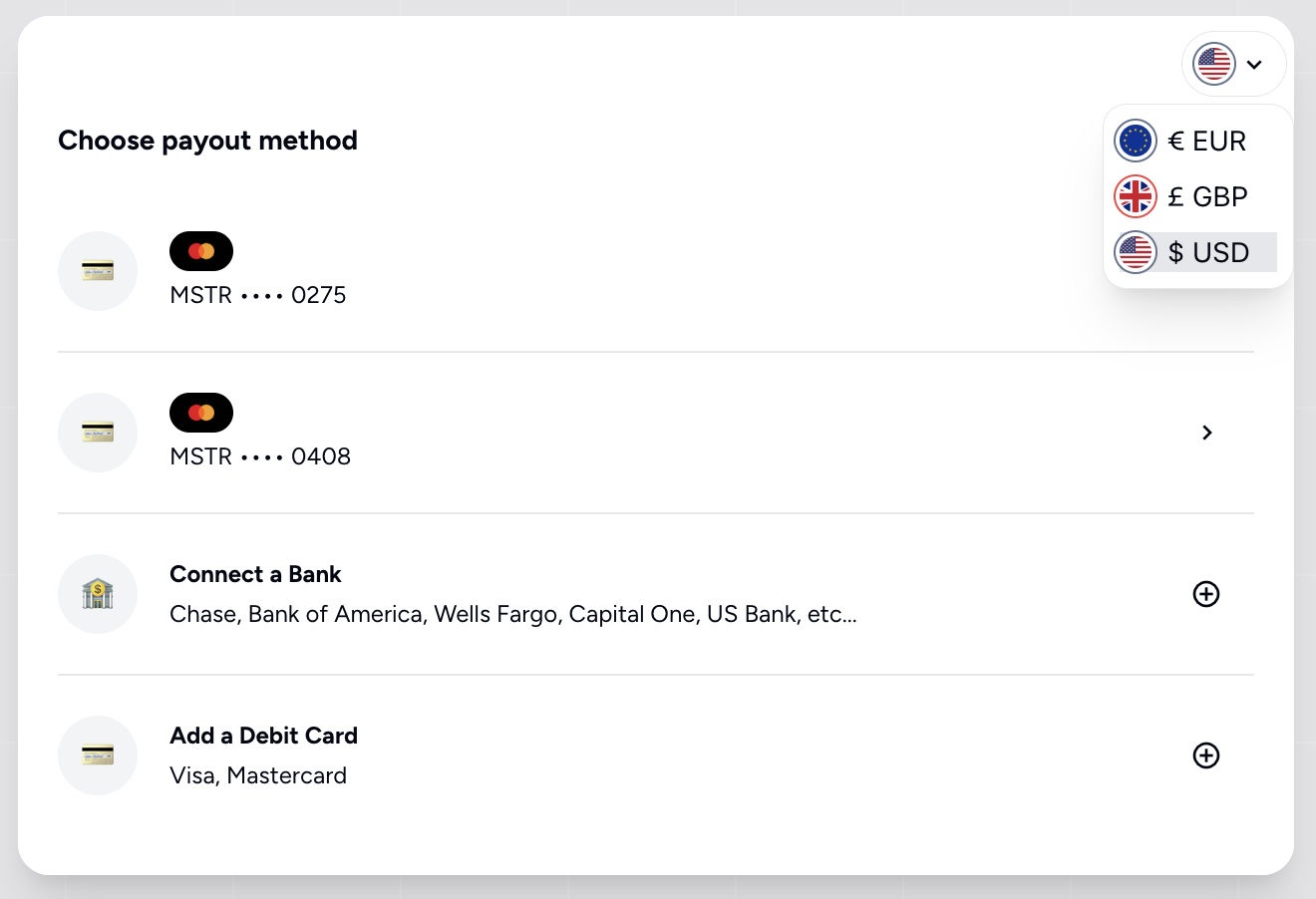
Users can change their currency directly through the Rapid UI (no API needed):
- Open the Rapid modal
- Click the dropdown in the top-left corner (next to the country flag)
- Select an available currency (options are filtered based on verification type)
Updated 12 months ago
Did this page help you?