
🔢 Overriding Chargeback Protection
Learn about the different chargeback protection statuses, error codes, and how to override the decision.
🔒 Chargeback Protection Statuses
| Status | Description |
|---|---|
| Not Enabled | Your account does not have chargeback protection enabled, or you're not passing the deviceId from the Chargeback Protection SDK, or chargebackProtection data is not passed to the CoinflowPurchase component or Checkout API. |
| Not Reviewed | All data was set up correctly, but the transaction was not reviewed by the fraud detection tools. |
| Approved | Chargeback protection is active. If the user disputes the charge, you are insured against losses. |
| Rejected | The transaction was flagged as fraudulent or high risk by fraud detection tools. |
🛠️ Overriding Chargeback Protection Decisions
1. Manually Override Chargeback Decisions
Merchants can manually override individual chargeback protection decisions via the merchant admin panel on the purchase record.

⚠️ Important
- Overriding a decision transfers chargeback liability to the merchant.
- Overrides help improve Rapid's fraud models over time.
2. Overriding with Pending Manual Reviews
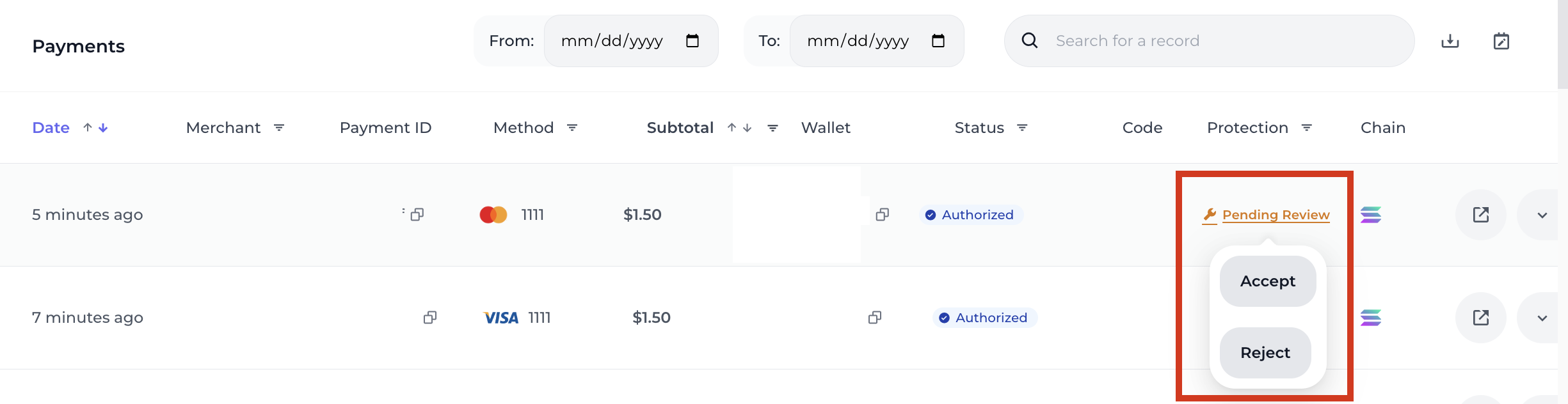
If your account has chargeback reviews enabled, purchases that are flagged by protection tools will be marked as Pending Review.
Merchants can manually accept or reject these within 24 hours.
- If accepted: Status becomes
Overridden - If no action in 24 hours: Approvely voids the transaction
- You can customize the review window by contacting Approvely
⚠️ WarningAccepting a
Pending Reviewalso shifts liability to the merchant.
📘 NoteSubscription purchases are excluded from this override workflow.
They will be either Approved or Rejected only.
Updated 12 months ago
Did this page help you?