
Customize Payout Fees
Configure Who Pays Approvely Processing Fees
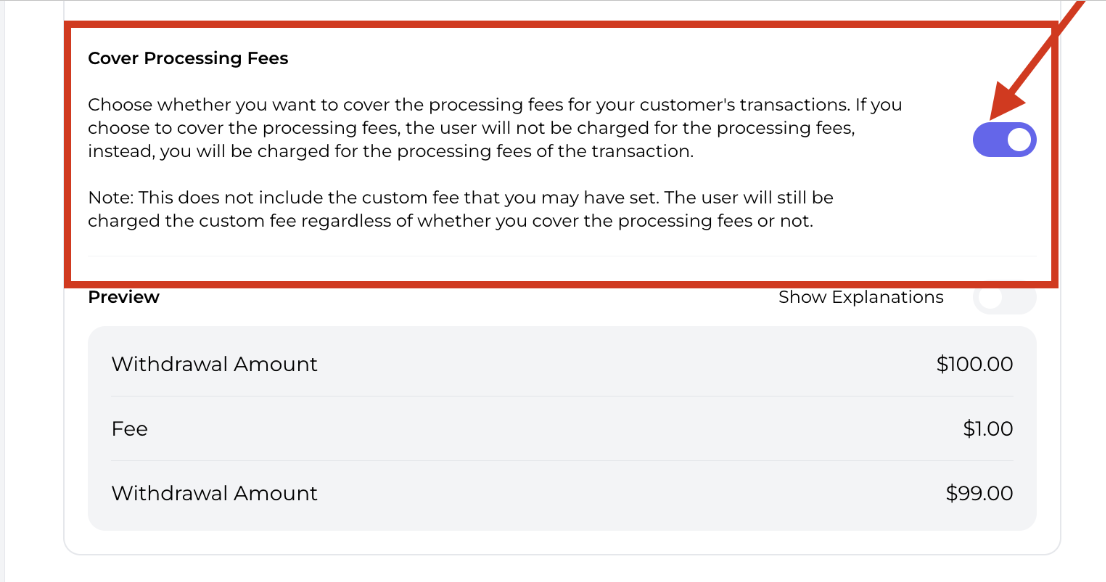
Merchants who have set up their Coinflow wallet settlement location can set their own custom withdrawal fees directly in the dashboard. By default, processing fees (the service fees Coinflow charges) are passed directly to the customer. Merchants can choose to cover these fees if desired.
Watch the video to learn how to:
- Choose between bundled or separate fee line items
- Set fixed or percentage-based fees
- Cover processing fees
- Configure different fees based on withdrawal speed
Approvely will invoice you at the end of the month for processing fees covered. The invoice will reflect the total amount of fees you covered on behalf of your customers.
How to Enable Merchant-Covered Fees
To change your withdrawal fee settings:
- Log in to the Merchant Dashboard.
- Navigate to Settings > Withdrawals > Withdrawal Fees.
- Enable
Cover Processing Fees - Save settings.
Updated 12 months ago
Did this page help you?