
Configuring Webhooks
Developers can follow the below guide to learn how to listen to webhooks:
-
Open Webhook Settings
Go to the Coinflow Admin Dashboard → Developers → Webhooks -
Add a new Webhook URL

-
Generate a Webhook Validation Key

-
Configure Webhook Settings
Select Latest Webhook Version > Select all events to listen to > Save.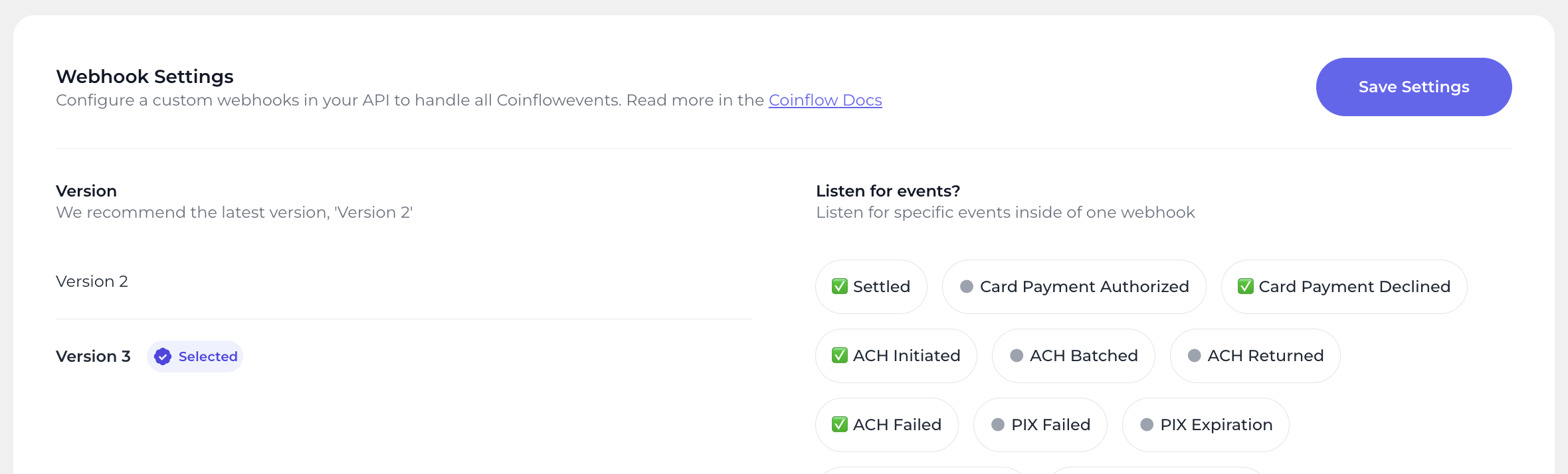
-
Add an Endpoint on Your Server
Create a POST route to receive events from Rapid.router.post('/coinflow-webhook', async (req, res) => { try { const { data } = req.body; const authHeader = req.get('Authorization'); //Ensure the Authorization matches your Validation Key to validate that this request is coming from Coinflow if (authHeader !== process.env.COINFLOW_VALIDATION_KEY) { throw new ControllerError('User not allowed', 401); } console.log(Event: ${data}); handleEvent(); // Add your custom logic here res.sendStatus(200); } catch (e) { handleError(res, e); } });
ℹ️Coinflow will retry sending webhook events until:
- Your server returns a 200 OK
- Or 36 hours passes
- Note: Your server must respond within 5 seconds or the request will timeout and retry.
Updated 12 months ago