
🪙 Implement USDC Checkout
Developers can use this documentation to enable users to complete a purchase with USDC.
Implementing USDC Checkout
Implementing checkout with USDC requires end-users to already have USDC in their wallets, and Merchants must accept USDC for settlement.
📘This documentation is only applicable to those implementing USDC checkout on Solana.
If you would like to implement USDC / stablecoin pay-in, please reach out to the Approvely team to request enabling this feature on your merchant account.
How It Works
- Set up a USDC settlement wallet for a merchant.
- When connecting a wallet to the
CoinflowPurchasecomponent, ensure the wallet already has USDC.
- Send testnet USDC to the wallet via Approvely's faucet if needed.
- End-user sign and send transaction
- USDC payment record will display under purchases on the merchant dashboard.
UI Implementation
Developers implementing with Rapid's pre-built UI will just need to ensure the wallet passed into the component already contains USDC. If it does, then the end-user will see an option to checkout with USDC.
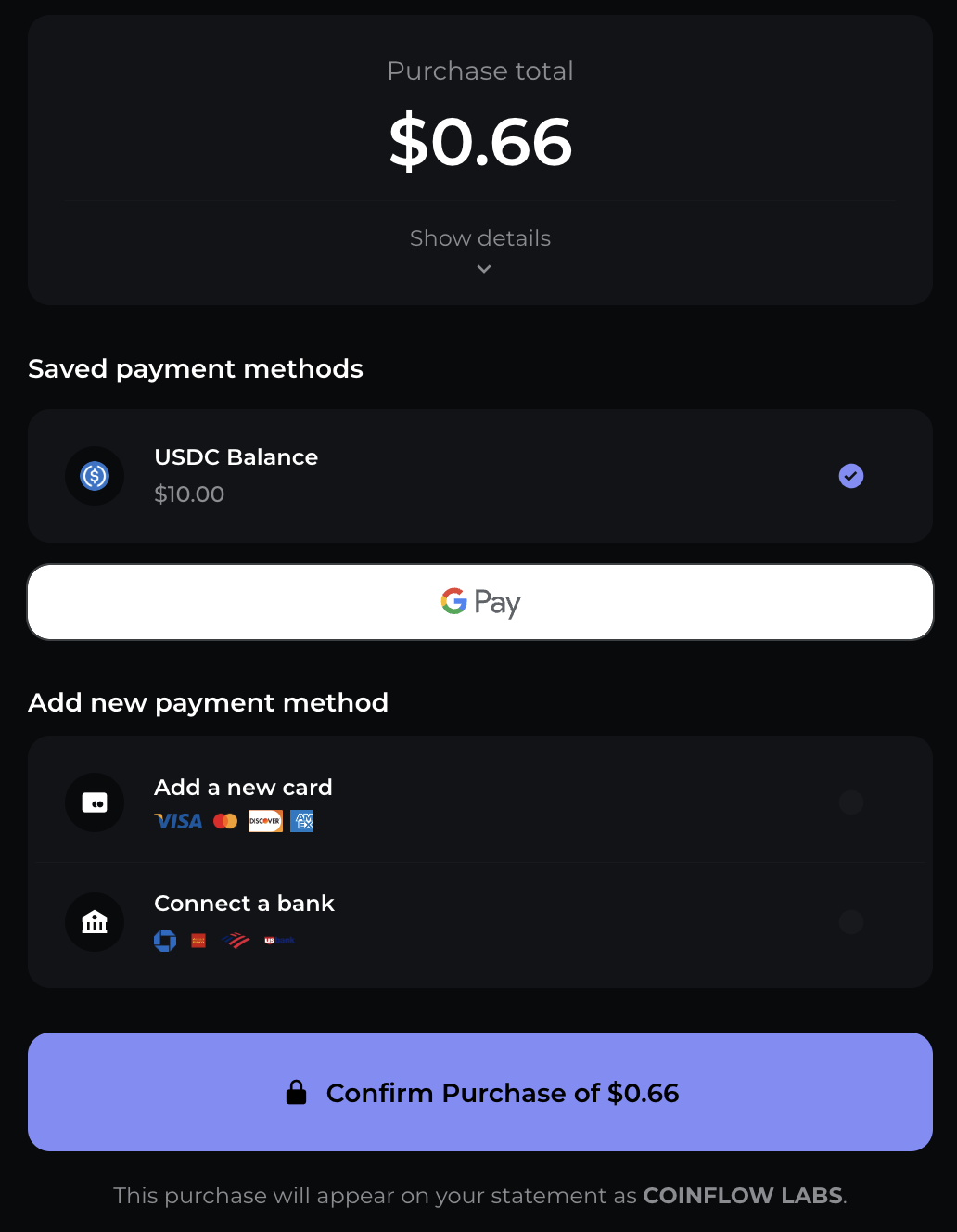
Payment options available to end-user if USDC is available in their wallet.
API Implementation
- Create a USDC Checkout transaction.
- This endpoint will return a transaction that will need to be signed and then sent to the blockchain you're on.
- Sign the transaction. Below is an example of how you can sign it:
const {
    Connection,
    Keypair,
    Transaction
} = require('@solana/web3.js');
const base58 = require('bs58');


//decode wallet private key
const privateKeyString = "<CUSTOMERS_WALLET_PRIVATE_KEY>"; // replace with customers wallet private key
const privateKey = base58.decode(privateKeyString);

// create keypairs
const wallet = Keypair.fromSecretKey(privateKey);

//creat tx from decoded tx
const tx = "<BASE58_TRANSACTION>" // this is the transaction returned from USDC checkout endpoint
const transaction = Transaction.from(base58.decode(tx));

async function signTransaction() {
    try {
        //sign the tx using the wallet
        transaction.partialSign(wallet);

        //serialize the signed tx + return encoded tx
        const serializedTransaction = transaction.serialize();
        const signedTxBase58 = base58.encode(serializedTransaction);

        console.log('signed tx:', signedTxBase58);
        return signedTxBase58;
    } catch (error) {
        console.error('error in signing tx:', error);
    }
}

signTransaction();- Send the transaction to the blockchain!
Note: Merchants on solana may use Approvely's Send Solana Transaction endpoint if needed. - Upon completion of purchase, you will see the payment record under purchases on the merchant dashboard
Updated 12 months ago