
🛡️How to Interpret 3DS-Verified Transactions
✅ Exempting Customers from 3DS Processing
🕒 When to Exempt a User from 3DS
Exempting a user from 3DS allows transactions to process without additional authentication, which:
- Reduces friction
- Improves conversion rates
This is typically used for:
- Low-risk transactions (e.g., small purchases)
- Trusted, repeat customers
Note:Some issuing banks, especially in the EU, may override 3DS exemptions, leading to declined transactions.
🛠️ How to Exempt a User from 3DS
Steps:
- Navigate to the customer's record
- Select Exempt 3DS Processing

🔍 How to Interpret 3DS Transactions
🧾 Key Definitions
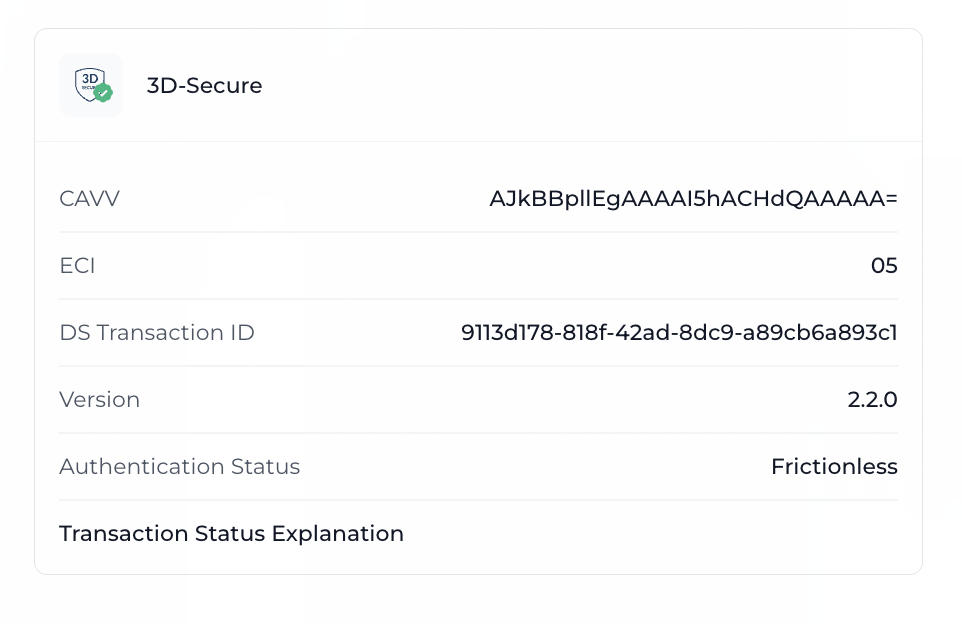
- CAVV – Cardholder Authentication Verification Value
- ECI – Electronic Commerce Indicator
- DS Transaction ID – Unique ID for the transaction
- Version – 3DS protocol version used
- Authentication Status – Whether authentication succeeded or failed
- Transaction Status – Outcome of the issuer's authentication process
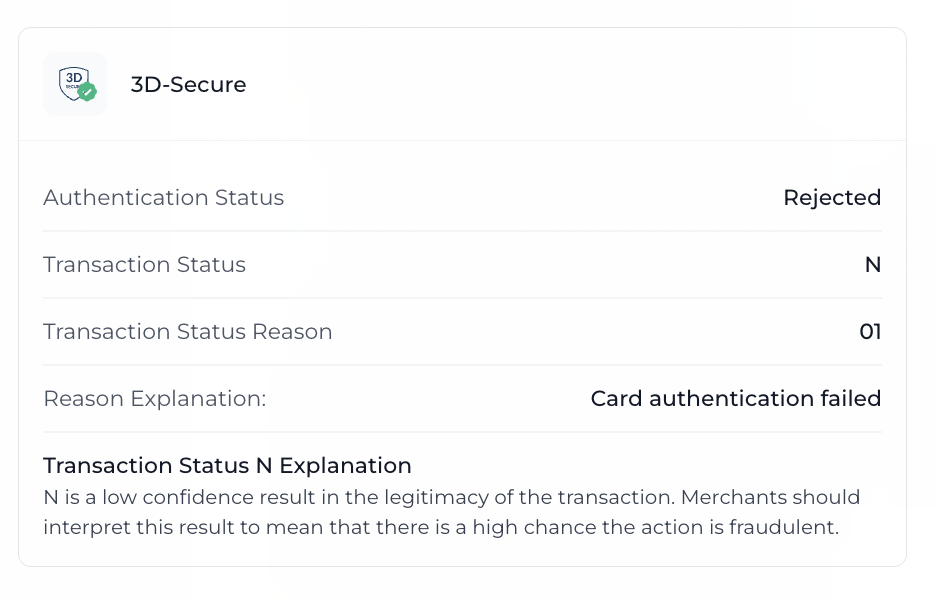
- Transaction Status Reason – Code indicating why a transaction was approved, rejected, or flagged
- Access Control Server (ACS) – Handles 3DS authentication between issuer, merchant, and cardholder
📊 Breakdown of Transaction Statuses
| Status | Description | Scenarios |
|---|---|---|
| Y (Yes) | Authentication Successful | The cardholder was successfully authenticated. Liability typically shifts to the issuer. |
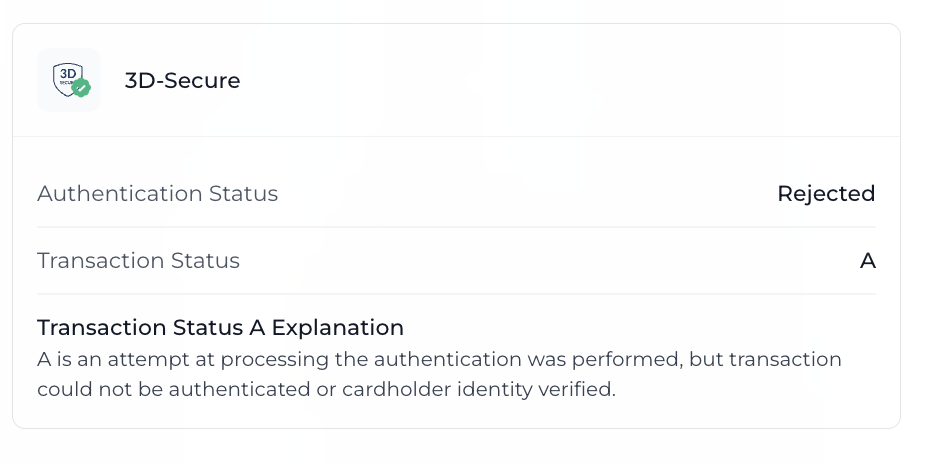
| A (Attempted) | Authentication Attempted but Not Fully Verified | Authentication was attempted but not completed. For example, the issuer doesn't support 3DS. |
| N (No) | Authentication Failed | The cardholder failed authentication or the issuer denied it. The merchant assumes liability. |
| U (Unavailable) | Authentication Could Not Be Performed | The authentication service was unavailable. |
| R (Rejected) | Authentication Rejected | The issuer explicitly rejected the authentication request due to fraud or invalid data. |
| C (Challenge) | Challenge Required | The cardholder must complete a second verification step (e.g., OTP, biometrics). Usually for high-risk transactions. |
🔍 Details on the A (Attempted) Status
A (Attempted) StatusIf the issuer does not support 3DS or has an internal error:
- The card network (Visa, Mastercard, etc.) may step in to assess the transaction.
- The network evaluates based on:
- Transaction amount
- Merchant category
- Risk profile
Possible Outcomes:
- If approved: Issuer assumes liability.
- If rejected: A (Attempted) is returned and the issuer still assumes liability.
🧾 Transaction Status Reason Codes
| Code | Explanation |
|---|---|
00 | Authentication Successful |
01 | Card authentication failed |
02 | Unknown Device |
03 | Unsupported Device |
04 | Exceeds authentication frequency limit |
05 | Expired card |
06 | Invalid Card Number |
07 | Invalid transaction |
08 | No card record |
09 | Security failure |
10 | Stolen card |
11 | Suspected Fraud |
12 | Transaction not permitted to cardholder |
13 | Cardholder not enrolled in service |
14 | Transaction timed out at the ACS |
15 | Low confidence |
16 | Medium confidence |
17 | High confidence |
18 | Very High confidence |
19 | Exceeds ACS maximum challenges |
20 | Non-Payment transaction not supported |
21 | 3RI transaction not supported |
80 (Mastercard) | Identity Check Insights |
80 (Visa) | Error Connecting to ACS |
81 (Visa) | ACS Timed Out |
82 (Visa) | Invalid Response from ACS |
83 (Visa) | System Error Response from ACS |
84 (Visa) | Internal Error While Generating CAVV |
85 (Visa) | VMID not eligible for requested program |
86 (Visa) | Protocol Version Not Supported by ACS |
87 (Mastercard) | Transaction is excluded from Attempts Processing |
87 (Visa) | Excluded from Attempts Processing (e.g. prepaid cards, NPAs) |
88 (Visa) | Requested program not supported by the ACS |
Visual Examples
Successful 3DS Transactions
Rejected 3DS Transactions
Updated 12 months ago
Did this page help you?